First setup · iPhone
For iPhone, start with the operating system and the player’s account fields. Install the right application before entering the service login.
8K IPTV · apps
Your player and account

Apple device setup
Check the player available for your iPhone, iPad or Apple TV model.
Match the exact app, account method and device. Current package and player licence terms require confirmation.
Read the full details
Apple device setup
Your Apple screen.
The right app route.
Check the player available for your iPhone, iPad or Apple TV model.
Match the exact app, account method and device. Current package and player licence terms require confirmation.
OPEN PLAYER GUIDANCE
APPLE DEVICE SETUP
Check the player available for your iPhone, iPad or Apple TV
model.
DESKTOP PLAYER REFERENCE
iOS
Apple TV 4K with Siri Remote
SHARE YOUR MODEL, OS VERSION AND PLAYER NAME
Device artwork is a reference • Confirm the exact app and build with support.
PLAYER GUIDE
01
Match the exact application
02
Confirm the device and OS
03
Use the current package route
Match the exact app, account method and device. Current package and
player licence terms require confirmation.
8K IPTV · devices
Identify your platform and device
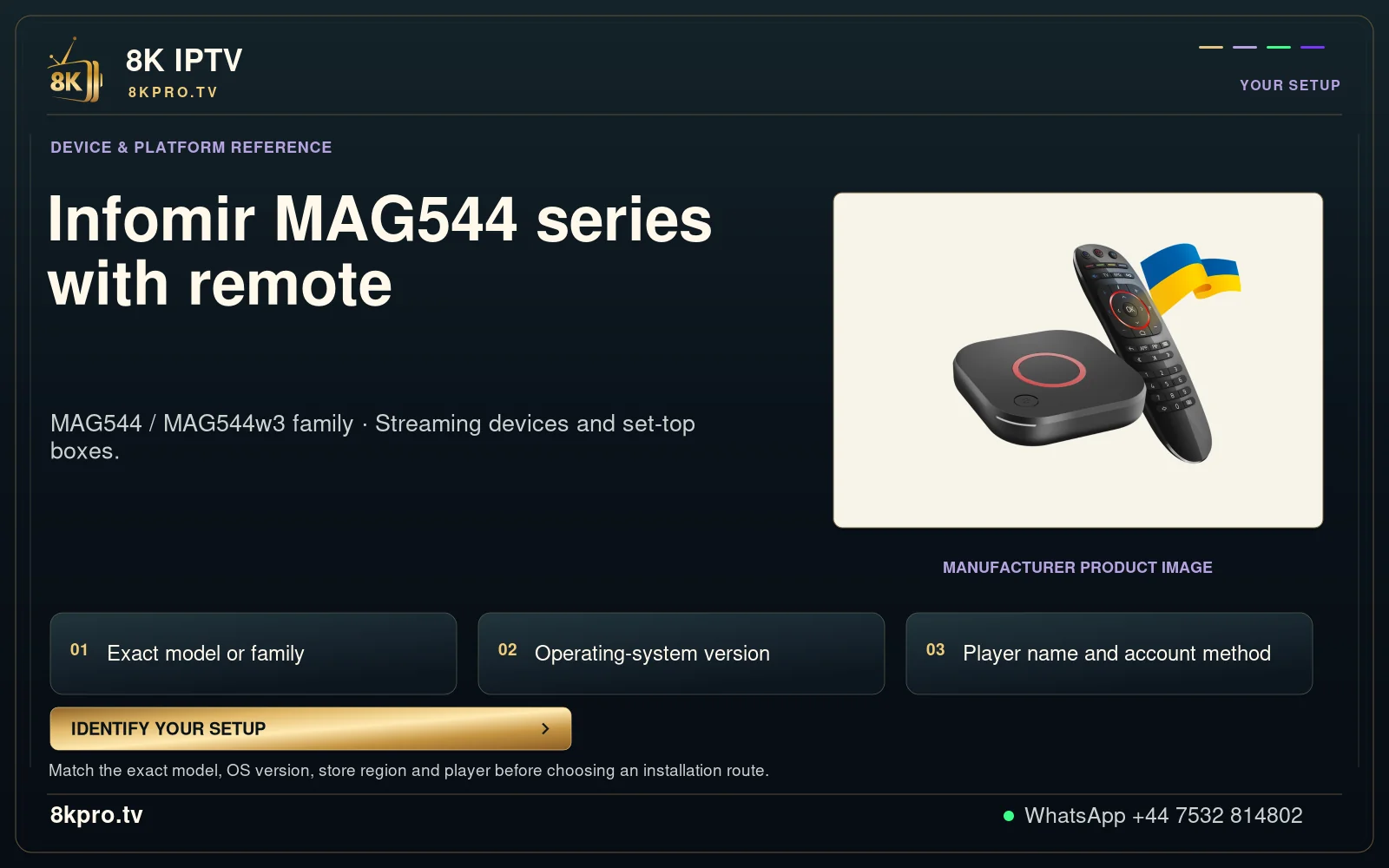
Infomir MAG544 series with remote
MAG544 / MAG544w3 family · Streaming devices and set-top boxes.
Match the exact model, OS version, store region and player before choosing an installation route.
Read the full details
Infomir MAG544 series with remote
MAG544 / MAG544w3 family · Streaming devices and set-top boxes.
Exact model or family
Operating-system version
Player name and account method
Manufacturer product image
Match the exact model, OS version, store region and player before choosing an installation route.
IDENTIFY YOUR SETUP
YOUR SETUP
DEVICE & PLATFORM REFERENCE
Infomir MAG544 series
with remote
MAG544 / MAG544w3 family · Streaming devices and set-top
boxes.
MANUFACTURER PRODUCT IMAGE
01
02
03
First setup on iPhone
A successful installation, an accepted account and working video are three separate results. Keeping them separate makes the first failure much easier to identify.
Downloader codes and Android APKs do not install an iPhone application. A TV-focused interface is not evidence of an iOS build.
Check the iPhone setup
- Platform to identify
- iOS and the installed iPhone player version
- Controls used in this guide
- The player’s touch controls
- Keep privately
- Any app-supported export and the private service login details
Check permissions and playback controls on the iPhone itself. Note whether the app stays in the foreground during the test.
iPhone checklist for first setup
- Identify the stage
Open the installed player and identify its login type: username/password with a server choice, M3U link, or portal registration.
- Use the iPhone route
Use the player’s genuine App Store listing for iPhone. Downloader codes and Android APKs do not install an iPhone application. A TV-focused interface is not evidence of an iOS build.
- Compare one useful result
Enter only the account format issued for this player. Test one live channel and one on-demand item that support has confirmed for the trial.
- Confirm the outcome
The intended account opens and a chosen test source plays with usable sound and controls.
Read the first setup result
| What you observe | What to check next |
|---|---|
| The app will not install | Check the operating system, package type and supported source before changing the account. |
| The app opens but rejects the account | Check the selected server or account format, spelling and expiry with support. |
| The account opens but video fails | Move to the channel-loading or buffering guide; installation alone is no longer the question. |
A detour to avoid for first setup
Do not paste the same string into every field. A playlist nickname is not the username, and a portal address is not automatically an M3U URL.
What to send about iPhone
Use WhatsApp +44 7532 814802 with the exact player name and version, the device/operating system, and what happened during the checks above. For a source problem, include its name and the approximate time and time zone.
Keep passwords, complete playlist addresses, payment information and device keys out of screenshots. A short description of the observed result is enough to start the conversation.
Discuss this iPhone setupDevice-specific questions
Continue with the relevant task
iPhone
Activation and login on iPhone
Resolve account entry and activation problems
Read the guideiPhone
Channels not loading on iPhone
Separate an empty list from a channel that will not play
Read the guideiPhone
Buffering and freezing on iPhone
Find whether playback interruptions follow the network, app or source
Read the guideiPhone
Programme guide and time on iPhone
Fix missing listings and mismatched guide times
Read the guideiPhone
Sound and audio tracks on iPhone
Diagnose silence, wrong language and sound delay
Read the guideiPhone
Subtitles and language on iPhone
Find and test the available subtitle track
Read the guideiPhone
Movies and series on iPhone
Browse VOD without losing track of title and episode details
Read the guideiPhone
Live sports preparation on iPhone
Prepare the actual feed before the event begins
Read the guideiPhone
Expiry and renewal on iPhone
Renew the right account and check the resulting expiry
Read the guideiPhone
Favourites and categories on iPhone
Keep useful channels easy to find
Read the guideiPhone
Player updates and storage on iPhone
Update carefully while keeping a recoverable setup
Read the guideiPhone
A practical trial checklist on iPhone
Use a trial to answer your real viewing questions
Read the guideiPhone
Account privacy and safe installation on iPhone
Protect account details while still getting useful support
Read the guideExplore this viewing option