

Identify the exact 8K Pro Player route
Use the 8K PRO account choice inside a supported VIP+ or Prime player. The list does not identify a separate installer named 8K Pro Player.
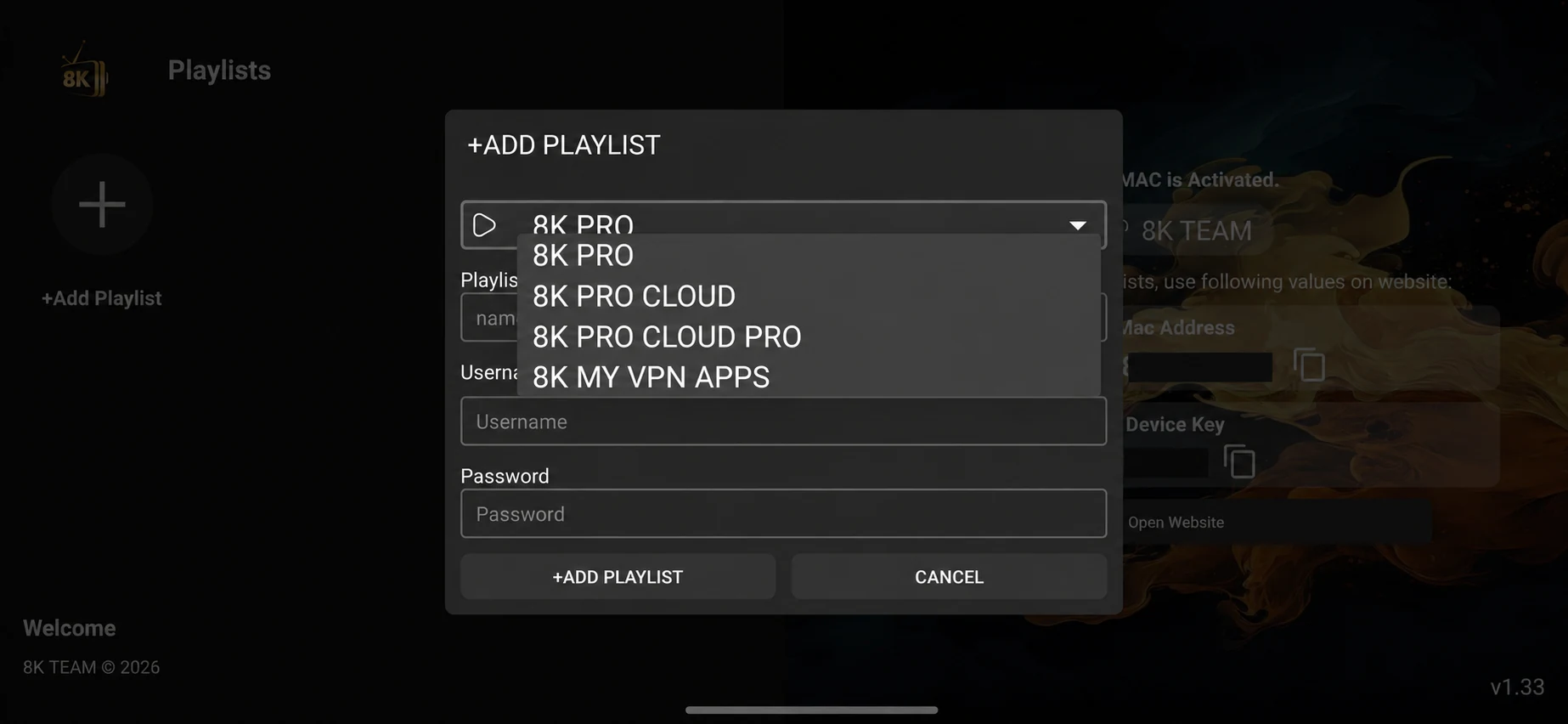
Confirm which installed player is intended. In its Add Playlist form, choose 8K PRO only for a matching issued account, then enter the username and password in their own fields.
Installed the app?
WhatsApp us for a one-day free trial.
Tell us your device, 8K Pro Player and the account option shown in the player. Support supplies the correct trial login and confirms availability.
Download and activation confirmation
A verified direct download was not for this exact name. Contact support with the device model and installed player, and request its supported source. The download directory retains all nineteen provided entries.
Installation and first playback
Confirm which installed player is intended. In its Add Playlist form, choose 8K PRO only for a matching issued account, then enter the username and password in their own fields.
Install only a format supported by the operating system. Open the player, record its exact name and version, and ask for the account entry route. A device MAC address, a username/password account and a portal are distinct forms of activation.
After installation, WhatsApp support for a one-day free trial. Test a live source, a short movie, sound and guide data on the device and network you intend to use. Keep account and player licence requirements separate.
Troubleshooting this route
If installation fails, collect the file name, operating system and exact message. If login fails, check the issued server choice and account expiry. If login succeeds but playback fails, identify one affected source and compare one other source.
Preserve a working account and supported preference backup before reinstalling. A desktop file should not be treated as an Android APK, and MAC-address activation should not be confused with the macOS installer.
Guide
Device setup routes
Select the platform you actually use.
Read the guideGuide
Account formats explained
Keep player fields and issued credentials aligned.
Read the guide